Today, we welcome David Tyler as a guest author. Thank you David for sharing your insights with us.
Here’s a complaint I hear constantly. “I tried the AI thing. The writing was so generic. It sounded like a robot. It wasn’t worth it.”
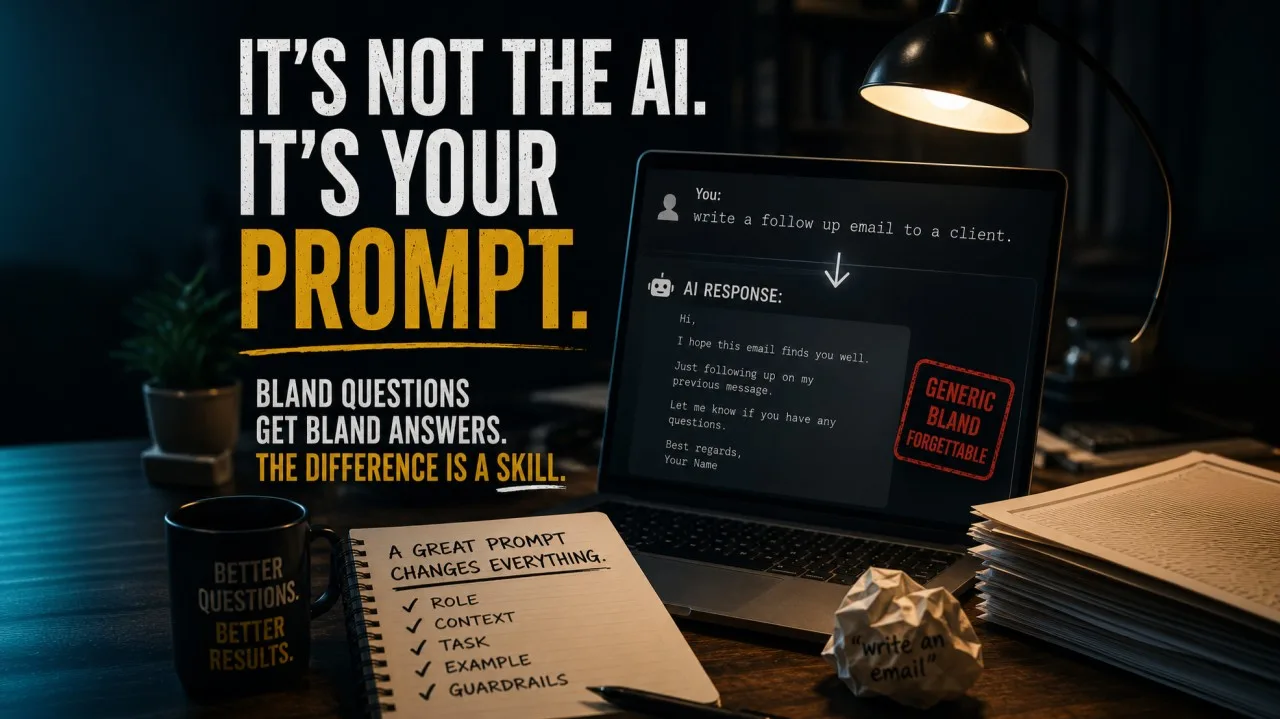
Almost every time, I ask to see what they typed. And almost every time, the prompt was something like “write a follow up email to a client.” Eight words. No context, no direction, no idea of what good looks like. Then they were disappointed when eight words of input produced a bland, average result.
The tool wasn’t the problem. You asked a generic question, so you got a generic answer. The single biggest skill in this whole space isn’t technical. It’s learning to ask better. And it’s learnable in an afternoon.
Stop searching. Start briefing.
Most people use these tools the way they use a search bar. Type a few words, hit enter, expect the right thing to come back. That habit is the root of the disappointment, because an AI is not a search engine. It’s closer to a brand-new assistant on their first day.
Think about what happens if you turn to a new hire on day one and say “handle the customer thing,” then walk away. They’ll do something. It almost certainly won’t be what you pictured, because you didn’t tell them what you pictured. You gave them no role, no background, no definition of done. That’s not their failure. That’s yours.
A good prompt is not a search query. It’s a brief. And the difference between a weak brief and a strong one is the difference between output you throw away and output you actually use.
What a strong brief actually includes
You don’t need a template you memorize. You need to stop leaving blanks the tool has to fill with a guess. Here’s what to hand it.
Who you want it to be. “You’re a skeptical financial analyst who hates fluff” produces a completely different answer than no role at all. Telling it who to be sets the whole tone before it writes a word.
What it can’t guess. The background only you have. Who the audience is. What constraints you’re under. What already happened. The tool knows nothing about your situation except what you put in front of it, so put it in front of it.
Exactly what you want done. “Improve this” is a wish. “Tighten this to under 150 words and cut the industry jargon” is an instruction. Specific verbs and specific numbers beat vague hopes every time.
What good looks like. If you have an example of the output you want, show it one. A single example of the format, the tone, the length you’re after will lift the quality more than any other thing you can do.
What to avoid. The guardrails. “If you’re not certain, say so. Don’t invent numbers. Don’t add fake urgency.” Telling it what not to do is as useful as telling it what to do.
Watch what that does in practice
Take the email that started this. The weak version was “write a follow up email to a client.” Here’s the same request as a brief.
“You’re me, a consultant who respects a client’s time. Write a short note to a client named Dana who went quiet after our proposal two weeks ago. Warm, not needy. She mentioned a budget freeze for the third quarter, so acknowledge that. One clear ask, a short call to talk through options. Keep it under 120 words. Don’t grovel, and don’t manufacture urgency.”
Same tool. Same model. The first one gives you something you’ll rewrite from scratch. The second gives you something you’ll tweak one line and send. You didn’t get a better robot. You did a better job of telling it what you needed.
The one lever that matters most
If you remember nothing else, remember this. The tool fills every blank you leave with a guess, and its guess is basically the average of everything it has ever read. Average is exactly the bland, generic, robotic voice people complain about.
So when you leave the role blank, the context blank, and the standard blank, you have asked for the average, and the average is what you get. Specificity is the entire game. The more you pin down, the less it has to guess, and the closer the output lands to what was in your head.
Two habits that make it click
Make it say the task back. Before it writes anything important, try ending with “before you start, tell me how you understand this task and what else you’d want to know.” It’ll surface the assumptions it was about to make, and you’ll catch the wrong ones before they cost you a bad draft.
Treat the first answer as a draft, never a verdict. Too many people read the first response, decide AI is mediocre, and quit. The first answer is a starting point. Tell it what’s off. “Too formal, loosen it up.” “You missed the part about the budget freeze.” It’s the cheapest, fastest editor you will ever work with, and it never takes the notes personally.
Know the limits of AI
A sharp prompt is not a magic wand. It won’t rescue a task the tool fundamentally can’t do, and it won’t save you if the information you’re feeding it is a mess underneath. Asking better is necessary, not sufficient.
And you don’t need to write a paragraph to ask for a synonym. Match the effort to the stakes. A quick throwaway question gets a quick throwaway prompt. The email going to your biggest client gets the full brief. Spend your specificity where it pays you back.
But understand what’s really going on when you see somebody pull genuinely impressive work out of these tools. They are not using a secret model you don’t have access to. They are just better at asking. That’s not talent. It’s a habit, and you can build it starting with your very next prompt.

This was republished with permission. The article was originally published in LinkedIn.
David Tyler is Director of Data & AI at Trofeo Solutions, where he helps organizations adopt AI in a way that’s governed, practical, and actually trustworthy at scale.

Leave a Reply