Description
We got the bracket when we got our PCEye controller. This gave Steve a solid mobile computing solution. We also received the ConnectIT mounting hardware which means it works with Tobii’s wheelchair and floor stands.
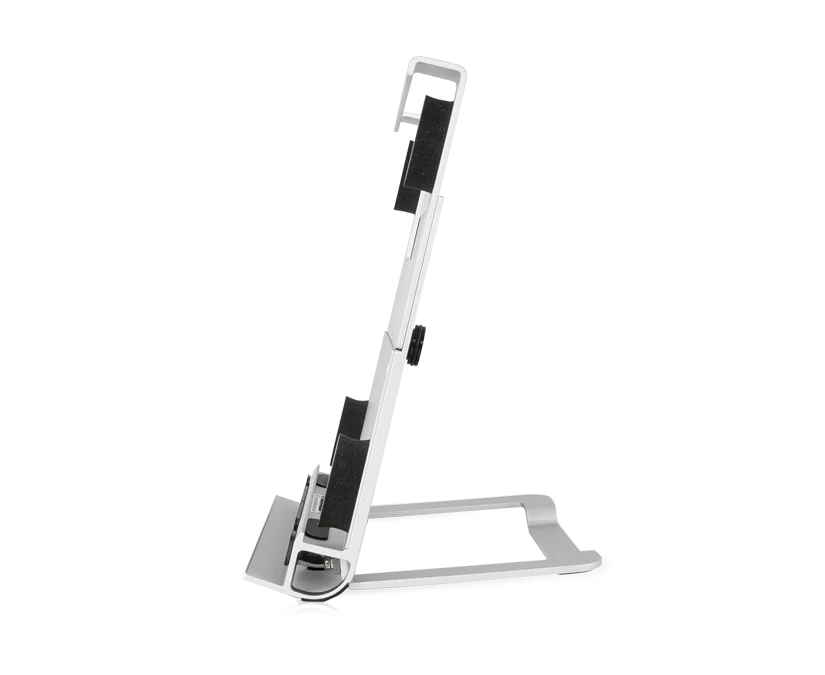
Use the PCEye Bracket to easily connect your PCEye eye tracker to a Windows tablet. Simply snap the eye tracker in place using the built-in magnetic mount plate and slide your tablet into the bracket for a secure fit. Steve got the PCEye bracket to securely mount his Surface Pro tablet and the PCEye controller on his power chair.
We got the bracket when we got our PCEye controller. This gave Steve a solid mobile computing solution. We also received the ConnectIT mounting hardware which means it works with Tobii’s wheelchair and floor stands.
| Steve’s ALS stage | Late, Middle |
|---|---|
| ALS toolboxes |
We are using these stages to help you understand when these tools and apps were most effective for Steve.
From first symptoms to the walker
Key points
• No ventilation
• Able to walk without help
• Limited upper limb function
From walker to power chair
Key points
• Limited ventilation with an NIV
• Help needed to transfer
• Limited upper and lower limb function
• Work transitions
• Supplemental nutrition through feeding tube
Power chair
Key points
• 50% to full time ventilation
• From NIV to tracheostomy
• Lift transfers
• Loss of limb function
• Most nutrition through feeding tube
Copyright 2025-2026 Data on Wheels





Reviews
There are no reviews yet.