Living with ALS

Living with ALS is more than surviving with ALS. Keeping presentable lets Steve feel good about himself. Talking and engaging with other people is a big deal. And who doesn’t like to be entertained?
We chose lifestyle to encompass these things with the help of Microsoft Copilot shown below.
A word that could encapsulate grooming, clothes, entertainment, and communication is “lifestyle.”
Here’s why:
🧼 Grooming: Part of personal care and presentation.
👗 Clothes: Reflect personal style, culture, and social norms.
🎭 Entertainment: Represents leisure choices and cultural engagement.
📱 Communication: Shapes social interaction and connectivity.
Together, these elements form the fabric of how someone lives, expresses themselves, and interacts with the world—core aspects of their lifestyle.
When Steve started to feel symptoms his ability to take care of himself was compromised. Some tools are pretty common but made it through our journey to help Steve stay independent as long as possible. Many of those tools continue to be used by his caregivers today.

Since Steve’s hospitalization in early 2025, he has spent most of his time in bed. This has made it difficult to wash his hair. His caregivers use this tub to make this work. It has a drain hose which makes cleaning up easy. We also used it to help catch hair during his haircut. This is a simple but effective solution to keep Steve looking good.
When Steve started losing his ability to use his hands, we found accessible clothing options that helped him maintain his independence as long as possible. As his disease progressed, we continued to find other options to help Sheila and Steve get him dressed.
Throughout this process, we used some commonsense approaches to help such as polos, elastic pants, and zip up sweatshirts.


Snap or tear away pants made it much easier to get Steve dressed. We can lay the pants on Steve’s power chair fully opened. Then we lower Steve into his chair and snap the pants up around him.
These pants also have Velcro and zipper versions. We liked the zipper closure for more formal events like our daughter’s wedding. The zipper is more hidden than the snaps, but it is not as nice with the catheter. There is also a shorts version which is great.
As Steve’s ability to breathe diminished, so did his ability to speak. At this point, he is not able to speak because he is on 24/7 ventilation with a trach. Communication focuses on the tools and software that allow Steve to engage with people in the room and around the world.
Early in Steve’s diagnosis, we decided to bank his voice. We were wisely advised to do it while his voice was strong. We worked with Team Gleason to cover the costs. We highly recommend that you bank your voice before you think you might need it. We used Acapela, but there may be other options available.
Steve’s banked voice works in both TD Snap and Communicator. His voice is a little robotic sounding, but it definitely sounds like him.

Communicator 5 is an AAC software offered by Tobii Dynavox. This is now my preferred platform for assisted speech. It can save phrases that show up in auto complete or that can be retrieved directly. I like the experience for conversations.
Communicator is also easy to configure and customize. I have configured my home page to only show what I need. I have also customized some pages to add features and make them meet my needs. It is available on Windows 10/11 with PCEye or on Tobii Dynavox’s I-Series. My biggest concern is that Tobii Dynavox does not seem to be investing in Communicator.
Bridging Voice has partnered with ElevenLabs to make their professional voice clone technology available to people with ALS for free. Bridging Voice has built integration applications for most AAC programs including TD Snap and Communicator 5. Their instructions are very clear and comprehensive which made setup easy, but there are many, many steps.
In order to make a voice clone, you should use at least an hour of your recorded voice. Steve used over three hours of recordings, mostly from his YouTube channel. He wishes he had more casual recordings to use, but we are still happy with the results. If you want to prepare for this, take the time to record your voice while it is strong. We would recommend telling or reading stories to capture expressiveness. Remember to record with a good microphone and in a quiet location.
Keep in mind that an Internet connection is needed to use your voice clone. Because of this requirement, you should also bank your voice to use when you are offline.

Phone Link is a Microsoft application built into Windows. It connects your Windows device to your cell phone. You can read and respond to text messages and even answer phone calls Through the app. You can also use the phone apps on your device which is a big deal.


After my tracheostomy, I could no longer talk. We were able to try out a couple of Tobii Dynavox eye gaze devices in the hospital. The first device was built on an Apple iPad. Steve used it for a day. It worked well but was not compatible with Ability Drive’s eye control. We tried the Windows version next.
Steve was good with the Windows version. We worked with the Tobii representative to order our device and stands. All these items were covered by Medicare. We got the device set up at home. You can find more information about the communication software in this section.
Steve is very happy with the choice of Windows. With his many years of experience working with Windows, there was no learning curve. The only issue is that the version is Windows 10 and cannot be upgraded to Windows 11. And Windows 10 is no longer supported by Microsoft. Tobii Dynavox has committed to providing support. Regardless, Steve would prefer to be on Windows 11.
Steve has the 13-inch TD I-13. It comes with 16 GB of RAM and an Intel Core i5 processor. It weighs 5.3 pounds. He also received the floor stand and the wheelchair mounts.

TD Snap is the first AAC software that I learned to use. I really like the QuickFires functionality. I used it extensively. I also updated the buttons to match my needs. We created a custom page to use at night. Sheila had to do the customization because we didn’t find a way to do it with eye gaze.
I moved away from TD Snap when we started using the AI voice from ElevenLabs. We found it easier to use and implement in Communicator.
Tobii Dynavox is highly committed to this application. They are making regular updates to it. TD Snap is available for Windows and Apple iPad devices.
When Steve stopped using his phone, he looked for a solution that worked well on Windows and would be easy for his family to use. It needed to be a good mobile solution as well. He chose WhatsApp which met those requirements. As a family this has been an excellent solution. He uses it with many friends too. It works much nicer than texting for Steve. Groups are really nice and easy to use.
When you are confined or restricted in your movement, having fun with others or managing your own entertainment is crucial. Entertainment is a needed respite in middle of all this. We need to still have fun in the midst of everything. Here some tools and apps we use to ensure Steve can be entertained.

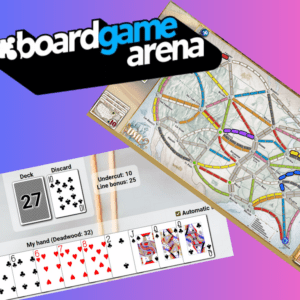
Board Game Arena is an online board game platform. It has a bunch of traditional games like rummy, Yahtzee, and cribbage. It also has more modern games like Tiny Towns and Ticket to Ride. Steve enjoys playing these games and more with his wife, kids and parents. The platform works well with eye gaze because it is point and click. He plays turn-based games which means if he is having a rough day they will wait for him to play. This significantly reduces the stress.
We recommend that you or a fellow player sign up for the premium subscription. This unlocks all the games. It also allows you to play games in the same location. At least one person in your group needs to subscribe. It is not very expensive, which is great.
If you want to play games with Steve, send him your gamer name at als@hughesfam.net.


When Steve struggled to pick up and push buttons on the remote control, we decided to purchase an Amazon Fire TV with Alexa built in. This TV is basically an Alexa device. Steve used his voice to control all the functions on the TV.
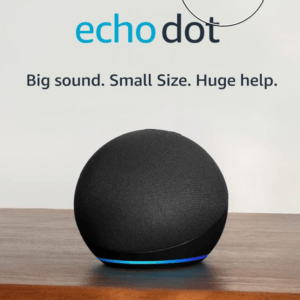
We purchased a smaller Alexa-enabled Fire TV for Steve’s office. He used the Echo in his office for voice control of this TV. It didn’t work as well as the built-in model. Amazon Fire TVs have a mobile app remote control which Steve downloaded on his phone. Using Phone Link, Steve can control all the Fire TVs in the house from his Tobii device.
At some point, we also got a Fire TV Stick. We used this when we traveled. This is a good option if you want to use the remote app on an existing TV. It is a great option to take your streaming apps with you.
We purchased one for our bedroom about a year later. It was the first time we have ever had a TV in the bedroom during our marriage. We are very thankful for this decision as Steve has spent more time in bed as the disease progresses. The remote app has been a boon to his independence.

Steve has owned a Kindle for years. Which also means he has a sizable library built up. He is now using the Kindle app for Windows on his Tobii device.
His only frustration is that it can be difficult to turn the page with eye gaze. However, he discovered that this issue was resolved by using full screen mode. This mode shows arrows and click areas for turning pages. Getting out of full screen can be tricky because both the TD Control toolbar and the Kindle toolbar overlap at bottom of the page. Steve found the easiest method was to open the keyboard and press the Esc key.
Library Books on Kindle – Mikayla Hubbard, our daughter
There are a few ways to read library books on Kindle, this how-to guide will talk through how to use the app, Libby. The first step is to apply/sign up to get a library card from your local library or online for libraries that allow anyone to hold a card regardless of living location. Once you have received your digital or physical library card, download the app, Libby. On the Libby app, click the center button on the bottom of the screen to view the “Your Libraries” tab and select “Add Library”. In the search box, search for the library that you have the card for and select “Sign in With My Card”.
Once the card/library is connected, you can search for any books and select the “Borrow” or “Place Hold” option depending on the availability of the book. After selecting “Borrow”, select the “Read with Kindle” option which will take you to your Amazon account. Select “Get Library book” and it will appear on all your Amazon Kindle devices!
There are many benefits in reading library books on the Kindle. For one, the ease of travel is unmatched. With reading books on Kindle, there can be 5 books at your disposal with only needing to bring one device that is smaller than your average book. If it is a series, you can get the next book while not at home and keep on reading, avoiding any potential cliff hangers. A benefit to specifically reading library books on Kindle is the major cost-saving that can come from library books. Many books now cost around $18 for a paperback and even more for a hard-back copy. Reading books for free, without needing to leave the house to check them out, can save hundreds of dollars a year while also not causing any inconvenience.
The Kindle and Libby App combination helps make reading accessible for all and provides the opportunity to try books without being stressed about the big price tag that can be attached. If you still love filling up your bookshelf, you can always buy the book after you read it on your Kindle and know that you are going to love to re-read it someday in the future!

We got this sign to have some fun. Steve used it at church to wave at kids. They loved it and so did he. We mounted on his power chair, and we used the USB on his chair for power.

Steve’s loss of fine motor skills in his hands made playing cards nearly impossible. We found a couple of options. His favorite was the wooden holder his kids got him for Christmas.